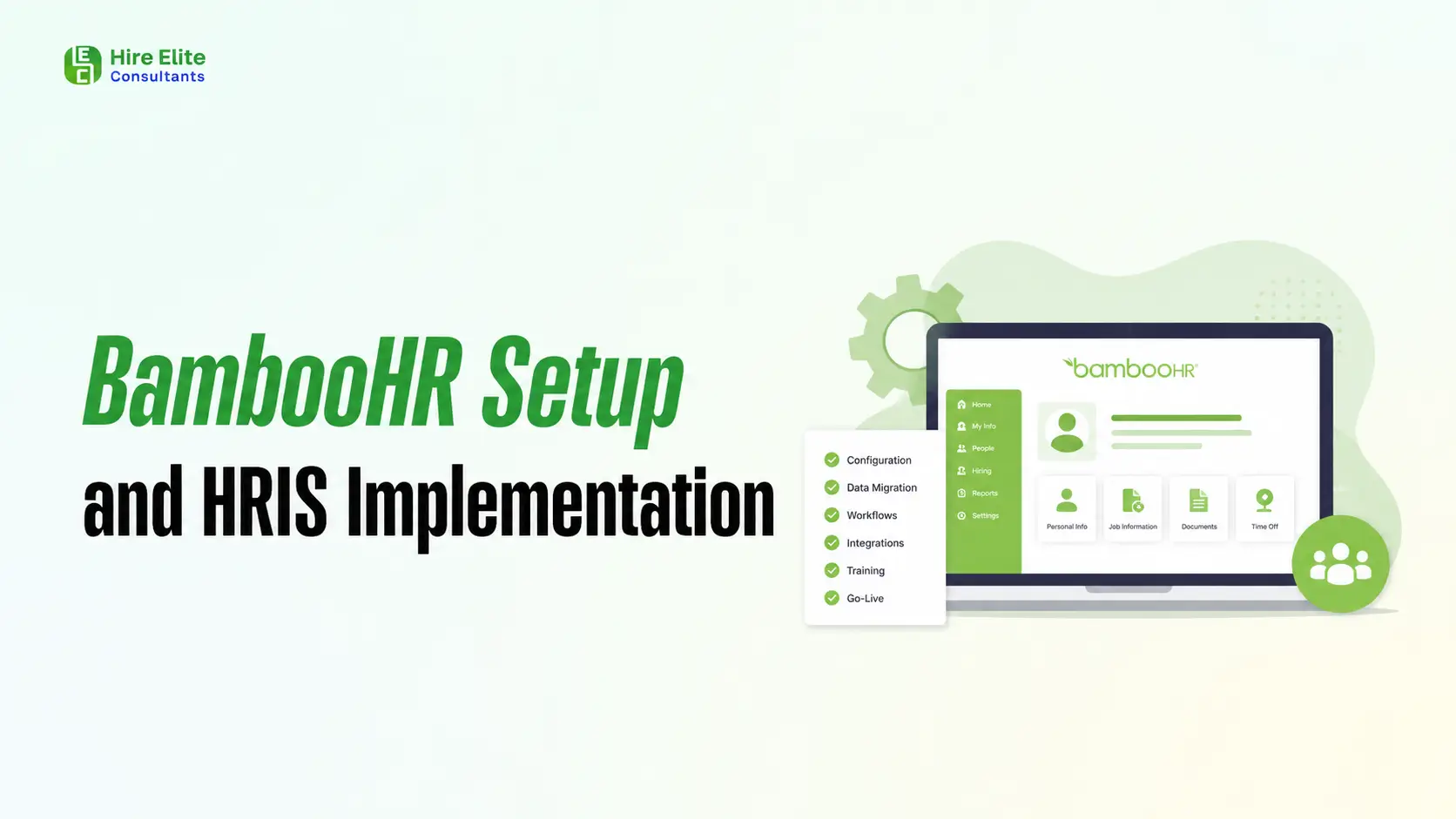
Implementing BambooHR is more than turning on a new HR software platform. It is the process of building a cleaner, faster, and more reliable HR operating system for your business. When BambooHR is set up correctly, your team can manage employee records, onboarding, time off, payroll data, reporting, approvals, and HR workflows from one centralized place instead of relying on scattered spreadsheets, email threads, and disconnected tools.
For growing companies, a strong HRIS implementation can reduce administrative work, improve data accuracy, support compliance, and create a better employee experience. For HR leaders, it brings structure to everyday processes. For managers, it makes approvals and employee information easier to access. For employees, it creates a smoother experience from their first day through every stage of their journey with the company.
This complete guide walks through the BambooHR setup process, what to prepare before implementation, which workflows to configure, common mistakes to avoid, and how to get more long-term value from your HRIS.
What is BambooHR?
BambooHR is a human resources information system, often called an HRIS, designed to help businesses manage employee data and HR workflows in one platform. Companies commonly use BambooHR for employee records, onboarding, time-off tracking, document storage, reporting, performance management, payroll coordination, benefits information, and employee self-service.

Instead of keeping employee data in separate folders, spreadsheets, payroll systems, and inboxes, BambooHR gives HR teams a centralized source of truth. That matters because HR data touches nearly every part of the employee lifecycle. A new hire’s details, department, manager, compensation, documents, PTO policy, and onboarding tasks all need to be accurate from the beginning.
BambooHR becomes even more powerful when it connects with the other systems your company already uses. For example, teams that need better visibility into PTO and scheduling can benefit from Google Calendar and BambooHR integration so managers and employees can stay aligned without manually checking multiple calendars.
What is HRIS Implementation?
HRIS implementation is the full process of planning, configuring, testing, launching, and optimizing a human resources system. It includes more than software setup. A good implementation defines how your HR processes should work, how employee data should be structured, who should have access to specific information, and how BambooHR should connect with your broader operations stack.
A successful HRIS implementation usually includes data cleanup, company structure setup, employee profile configuration, role-based permissions, onboarding workflows, time-off policies, document management, payroll fields, reporting dashboards, integrations, training, and post-launch optimization.
The goal is not simply to “go live.” The goal is to create a system that HR, managers, leadership, and employees can trust. If the setup is rushed or poorly planned, the platform may still work technically, but your team may continue dealing with inaccurate data, broken workflows, low adoption, and manual workarounds.
Hire a BambooHR Consultant
Need help setting up BambooHR the right way? A BambooHR consultant can help with employee data migration, permissions, onboarding workflows, time-off policies, payroll setup, integrations, testing, and team training.
Hire Elite Consultants helps businesses build cleaner, more efficient HRIS workflows so BambooHR is easier to manage and scale.
For expert support, hire a BambooHR consultant today.
When Your Business Is Ready for BambooHR Setup
Many companies wait too long before implementing a proper HRIS. They often start with spreadsheets, shared drives, and manual emails because those tools feel simple in the beginning. Over time, however, small inefficiencies become major operational problems.
Your company may be ready for BambooHR if employee records are stored in too many places, HR spends too much time answering routine questions, onboarding is inconsistent across departments, time-off approvals are difficult to track, or payroll data needs frequent correction. You may also need a stronger system if managers lack visibility into employee information, leadership cannot easily access HR reports, or compliance documentation is becoming harder to manage.
Poor HR systems can also affect retention. When employees experience disorganized onboarding, unclear communication, delayed approvals, or inconsistent manager support, trust can erode quickly. If your team is already noticing disengagement, process friction, or preventable exits, it may be useful to review employee turnover warning signs HR leaders should never ignore alongside your HRIS planning.
What to Prepare Before BambooHR Implementation
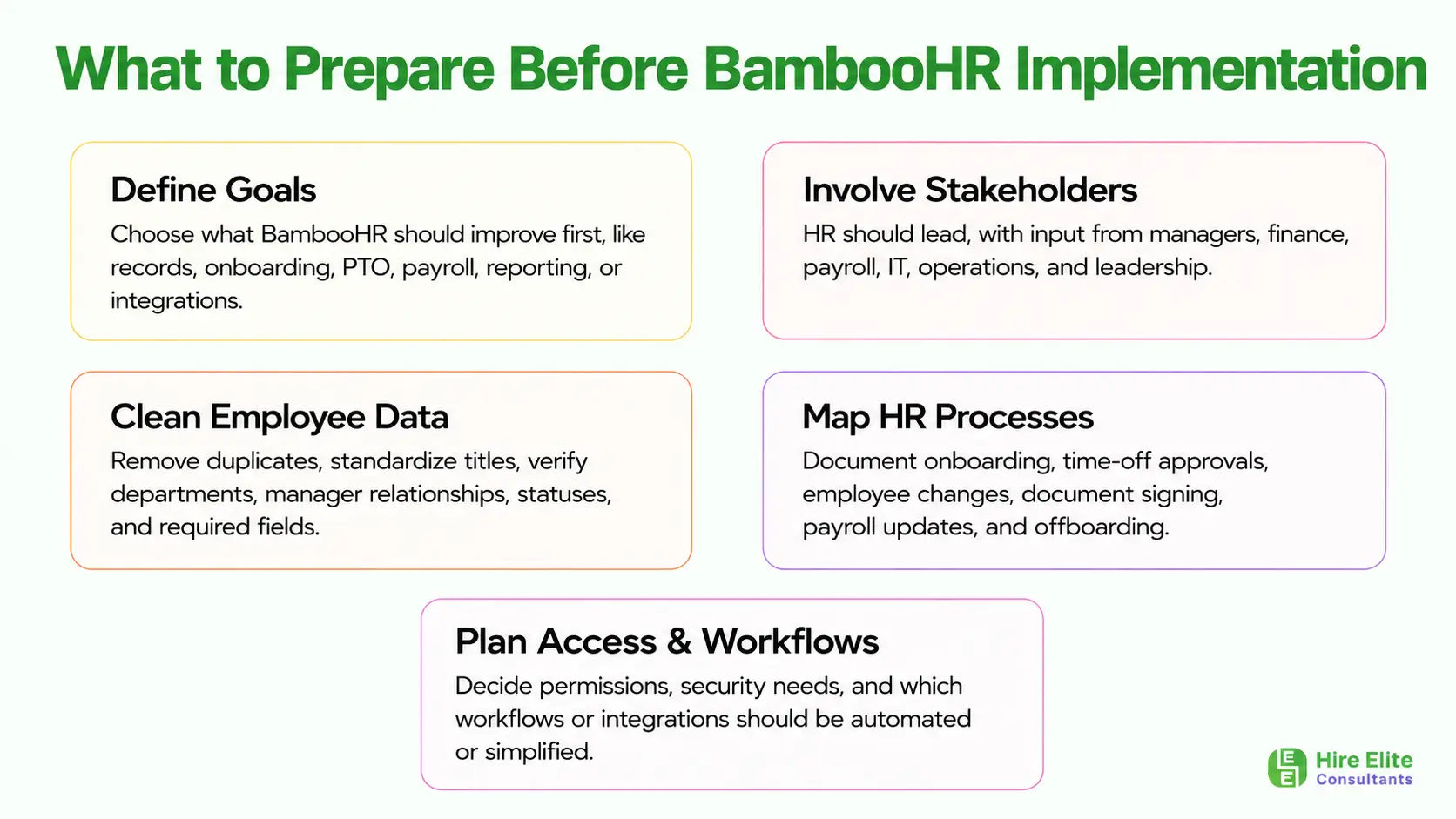
The best BambooHR implementations start before anyone configures the software. Preparation helps prevent messy data, confusing permissions, and incomplete workflows later.
Start by defining your implementation goals. Decide what you want BambooHR to improve first. Some companies prioritize employee records and compliance documents. Others need better onboarding, PTO tracking, payroll coordination, reporting, or integrations. Clear goals help your team avoid building unnecessary complexity into the setup.
Next, identify the stakeholders who need to be involved. HR should lead the process, but managers, finance, payroll, IT, operations, and leadership may all have important input. Payroll teams need accurate compensation and tax-related information. IT may need to support access, security, and integrations. Managers need workflows that are easy to follow. Leadership needs reporting that answers business questions.
Data preparation is one of the most important steps. Before importing employee information, clean your existing files. Remove duplicates, standardize job titles, confirm department names, verify manager relationships, update employee statuses, and check required fields. Clean data creates a stronger foundation for every workflow that follows.
You should also map your current HR processes. Document how onboarding works, how time-off requests are approved, how employee changes are submitted, how documents are signed, how payroll updates are handled, and how offboarding is completed. Once you understand the current process, you can decide what should be automated, simplified, or redesigned inside BambooHR.
Step-by-Step BambooHR Setup Process
Step 1: Set Up Company Information and Structure
The first setup step is building your company structure inside BambooHR. This usually includes company name, locations, departments, divisions, job titles, employment types, reporting lines, and employee classifications.
This structure matters because it affects reporting, permissions, workflows, and employee records. If departments are inconsistent or job titles are entered in different formats, reports become less reliable. For example, “Sales,” “Sales Team,” and “Revenue” may all refer to similar groups, but inconsistent naming can create confusion when filtering data.
Take time to standardize your naming conventions before importing data. A clean structure makes BambooHR easier to use and easier to scale.
Step 2: Import and Validate Employee Data
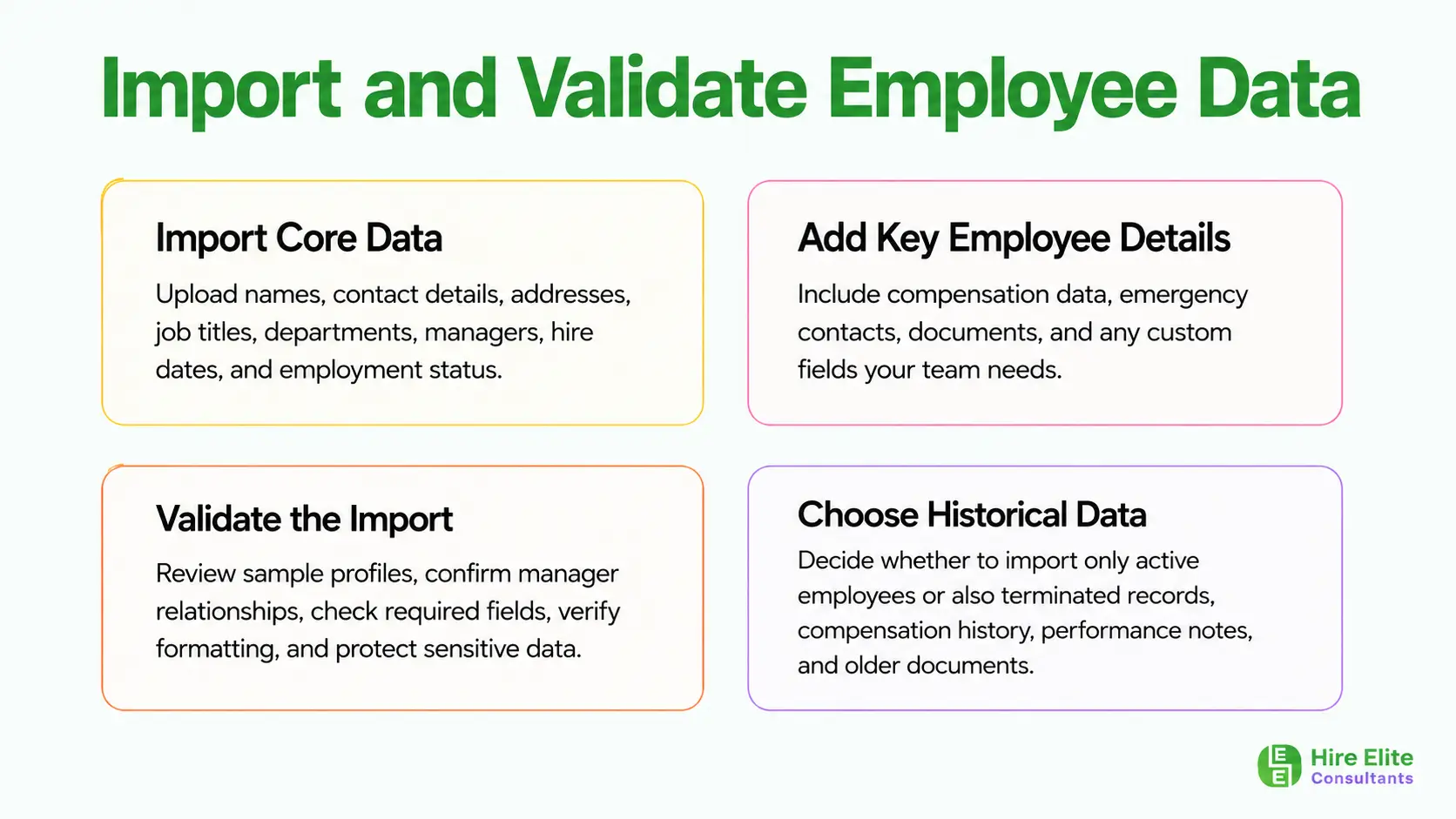
After the company structure is ready, employee data can be imported. This may include names, contact information, addresses, job titles, departments, managers, hire dates, employment status, compensation details, emergency contacts, documents, and custom fields.
Data validation is critical. Do not assume the import is complete just because the file uploads successfully. Review sample employee profiles, confirm manager relationships, check required fields, verify formatting, and make sure sensitive data appears only where it should.
This is also a good time to decide which historical data belongs in BambooHR. Some companies import only active employee records, while others include terminated employee records, compensation history, performance notes, or previous documents. The right choice depends on reporting needs, compliance requirements, and operational complexity.
Step 3: Configure User Roles and Permissions
Permissions determine who can see, edit, approve, and manage information inside BambooHR. This step should be handled carefully because HR systems contain sensitive employee data.
Common permission groups include HR administrators, payroll users, executives, managers, and employees. HR admins may need full access. Managers may need visibility into direct reports, time-off requests, and basic job information. Employees usually need access to their own profiles, documents, time-off balances, and self-service updates.
Avoid giving broad access by default. Instead, use the principle of least privilege: each user should have access only to the information needed for their role. This protects privacy and reduces the risk of accidental changes.
Step 4: Build Time-Off Policies and Approval Workflows
Time-off setup is one of the most valuable parts of BambooHR implementation. Configure PTO categories, sick leave, holidays, accrual rules, carryover limits, blackout dates, approval chains, and notifications.
Your policies should match how your company actually operates. If different employee groups have different PTO rules, build those differences intentionally. If approvals depend on department, location, or manager level, map those workflows clearly before launch.
Calendar visibility is also important. When time-off information is trapped inside the HR system, managers may miss scheduling conflicts. Connecting BambooHR with shared calendars can make planning easier. Teams that rely on calendar-based visibility should consider how to integrate Google Calendar with BambooHR as part of the implementation plan.
Step 5: Configure Onboarding and Offboarding Workflows
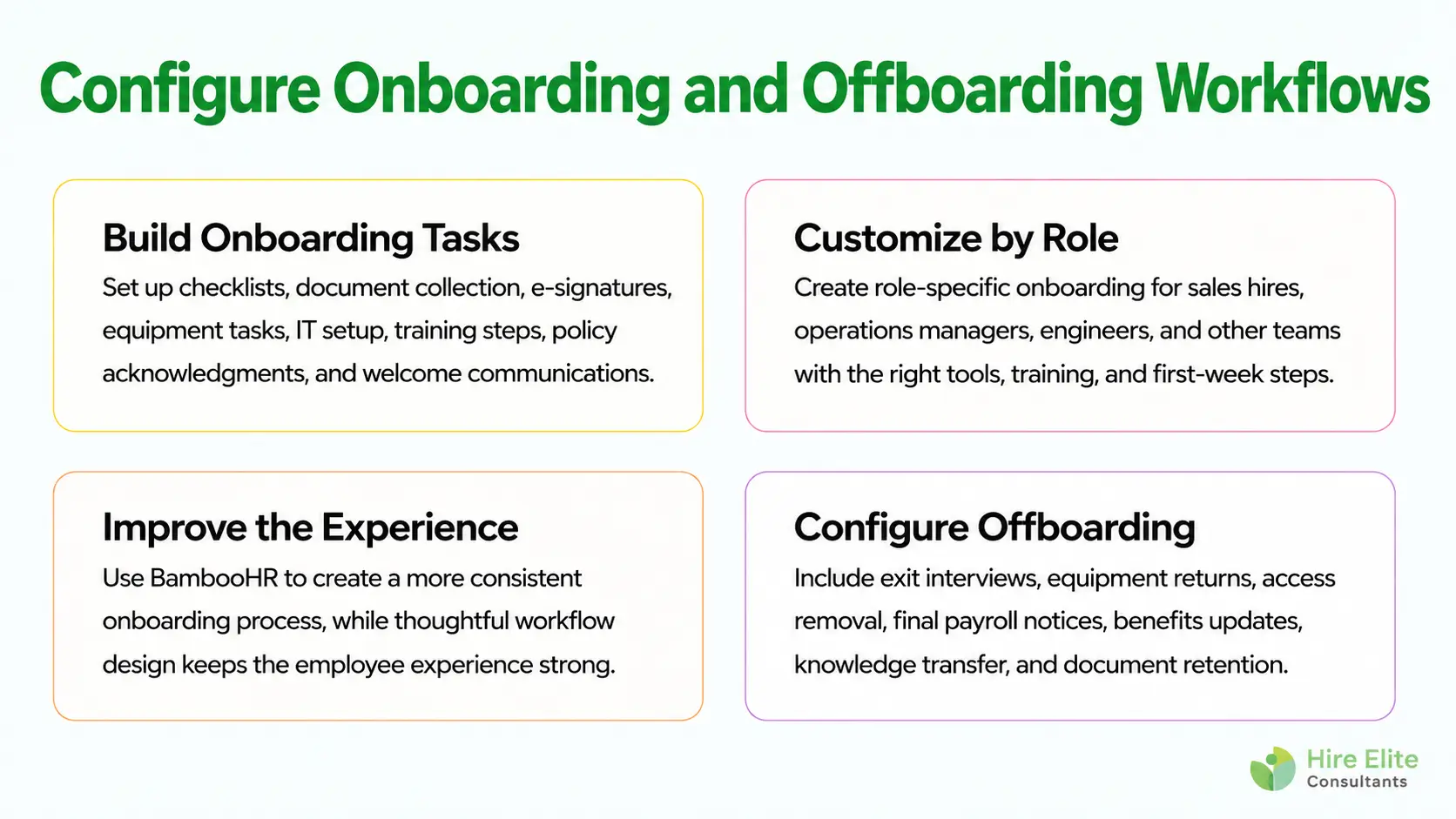
Onboarding is where BambooHR can create an immediate improvement in employee experience. A strong onboarding setup includes new hire checklists, document collection, e-signatures, equipment tasks, IT setup, manager reminders, training steps, policy acknowledgments, and welcome communications.
The best onboarding workflows are role-specific. A sales hire, operations manager, and software engineer may all need different tools, training, documents, and first-week schedules. BambooHR allows companies to create more consistent onboarding while still customizing the experience by department or role.
For a deeper framework, connect your setup strategy with how to build a better onboarding process for new hires. BambooHR can support the system, but the quality of the employee experience still depends on thoughtful process design.
Offboarding should also be configured. Create workflows for exit interviews, equipment returns, system access removal, final payroll notifications, benefits updates, knowledge transfer, and document retention. A structured offboarding process protects the business and creates a more professional employee exit experience.
Step 6: Set Up Payroll and Benefits Data
Payroll and benefits setup requires accuracy. Even if BambooHR is not your only payroll system, it often holds important employee information that payroll teams depend on. Compensation fields, employment status, deductions, tax-related data, benefits eligibility, pay schedules, and employee classifications should be reviewed carefully.
If your company operates across multiple countries or supports distributed teams, payroll complexity increases. Different locations may have different rules, currencies, tax requirements, benefit structures, and compliance needs. In that case, review how to integrate BambooHR for global payroll before finalizing your setup.
Payroll workflows should be tested before launch. Confirm that employee changes, compensation updates, new hires, terminations, and benefits changes move through the correct approval process.
Step 7: Connect BambooHR With Other Business Systems
BambooHR works best when it is connected to the tools your team already uses. Common integrations include payroll platforms, applicant tracking systems, calendars, communication tools, document management systems, CRM platforms, accounting software, and automation tools.
For companies where HR data supports sales, operations, or client delivery, CRM integration can be especially useful. For example, connecting HR and CRM data can help align staffing, account ownership, capacity planning, and reporting. If Salesforce is part of your stack, review BambooHR and Salesforce CRM integration during implementation planning.
More broadly, integration planning should look at the full business system, not just HR. The article on important CRM integrations every team should have is useful for understanding how connected tools improve visibility and reduce manual work across departments.
If your company wants to automate handoffs without custom development, no-code tools may also help. BambooHR can often fit into a broader automation strategy alongside tools for notifications, forms, approvals, task creation, and reporting. For ideas, explore how to automate operations with a no-code stack.
Step 8: Test Workflows Before Launch
Testing is where many implementation problems are caught before employees experience them. Create test scenarios for common workflows such as new hire onboarding, PTO requests, manager approvals, employee profile updates, document uploads, payroll changes, and offboarding.
Test permissions from different user roles. What does an employee see? What does a manager see? Can payroll access the right fields? Can managers approve requests without seeing sensitive information they should not access?
Also test notifications. A workflow may technically work, but if the right person does not receive the right alert at the right time, the process can still break. Testing should be practical, not theoretical. Use realistic employee examples and walk through the process from start to finish.
Step 9: Train HR, Managers, and Employees
A successful BambooHR launch depends on adoption. HR teams need deeper admin training, managers need to understand approvals and employee visibility, and employees need to know how to use self-service features.
Training should be role-based. Employees do not need to learn every admin function, but they should know how to update personal information, request time off, access documents, and complete onboarding tasks. Managers should know how to approve requests, view team information, complete onboarding responsibilities, and support employee changes.
Create simple internal documentation or quick-start guides. The easier the system feels, the faster people will use it correctly.
Step 10: Launch, Monitor, and Optimize
Once BambooHR goes live, monitor adoption and workflow performance closely. Watch for repeated questions, approval delays, missing fields, incomplete onboarding tasks, and reporting gaps. These early signals show where the system needs refinement.
Optimization should continue after launch. HRIS implementation is not a one-time event. As your company grows, you may need new fields, workflows, reports, automations, permissions, and integrations. The same mindset applies to other business systems as well. If adoption and reporting are priorities across your company, CRM optimization tips to improve adoption and reporting can offer useful parallels for improving system usage over time.
Common BambooHR Implementation Mistakes to Avoid
The most common mistake is importing messy data. If employee records are inaccurate before implementation, BambooHR will simply centralize bad information. Clean the data first.
Another mistake is overcomplicating workflows. BambooHR should simplify HR operations, not recreate every inefficient step from the old process. If an approval chain has too many layers, employees and managers may avoid using it properly.
Some companies also skip permission planning. This can expose sensitive data or restrict users so much that they cannot complete basic tasks. Both problems reduce trust in the system.
A rushed launch is another risk. Without testing, training, and documentation, employees may struggle to adopt the platform. HR then spends weeks fixing avoidable issues.
Finally, many companies fail to optimize after go-live. BambooHR should evolve with your business. Review reports, collect feedback, and improve workflows regularly.
BambooHR Setup Checklist
Before launching BambooHR, review the key setup areas to make sure your HRIS is accurate, organized, and easy for your team to use. A simple checklist helps prevent missing data, broken workflows, and confusion after launch.
Use this checklist before going live:
- Confirm company details, locations, departments, job titles, and reporting structure.
- Clean and import employee data, including roles, managers, hire dates, and employment status.
- Configure required fields, custom fields, user roles, and permissions.
- Set up time-off policies, PTO rules, holidays, approvals, and notifications.
- Build onboarding and offboarding workflows with tasks, documents, and reminders.
- Upload HR documents, templates, policies, and employee forms.
- Review payroll fields, benefits data, compensation details, and employee classifications.
- Connect key integrations such as payroll, calendars, ATS, CRM, and communication tools.
- Test workflows, permissions, reports, notifications, and employee self-service access.
- Train HR admins, managers, and employees before launch.
You should also make sure managers understand their approval responsibilities and employees know how to use self-service features. A focused checklist keeps implementation on track and helps BambooHR become a reliable HR system from day one.
Should You Set Up BambooHR In-House or Hire a Consultant?
Some companies can handle BambooHR setup in-house, especially if they have simple workflows, clean data, and an experienced HR operations team. A basic implementation may be manageable when the company has one location, limited integrations, straightforward PTO policies, and a small employee population.
A consultant becomes more valuable when the setup is complex. If your company has multiple locations, messy historical data, custom approval workflows, payroll integrations, global employees, security concerns, or limited internal capacity, expert support can save time and reduce risk.
Ready to streamline your BambooHR setup? Hire Elite Consultants can help you configure workflows, clean up employee data, connect integrations, and launch your HRIS with confidence.
Get expert guidance from a team that understands HR operations from setup to optimization. Hire a BambooHR consultant today.
Final Thoughts
BambooHR setup is not just a technical project. It is an opportunity to build a stronger HR foundation for your business. When implemented correctly, BambooHR improves employee data accuracy, streamlines onboarding, simplifies time-off tracking, supports payroll coordination, strengthens reporting, and creates a better experience for HR teams, managers, and employees.
The key is to plan before you configure, clean your data before importing, test workflows before launch, and continue optimizing after go-live. A thoughtful HRIS implementation gives your company the structure it needs to grow with less manual work, fewer errors, and more confidence in every HR process.