

You no longer need to be a developer to build powerful backend systems or automate business processes. Thanks to the rise of no-code tools, operations teams can now design and launch workflows that scale without writing a single line of code. Whether you’re managing a fast-growing startup or running a solo business, a solid no-code stack can handle everything from data collection to CRM updates and internal notifications.
This guide breaks down the essential tools and strategies to help you automate operations using a no-code stack. You’ll learn which platforms to use, how they fit together, and how to scale with clarity and structure.
Why No-Code Is a Game Changer for Operations?
Traditionally, building internal tools, syncing data between platforms, or automating repetitive tasks required engineering resources. This led to long wait times, expensive developer hours, and a lack of operational agility.
No-code platforms flip that model. They let anyone with process knowledge build backend workflows, automate handoffs, and maintain visibility across tools. That means faster launches, better control, and lower overhead.

You don’t need to compromise on functionality either. Today’s no-code tools are powerful enough to run complex logic, manage data relationships, and power apps used by thousands of users.
Our Recommended No-Code Stack
Here’s a lean, effective no-code tool stack you can use to build automation and operational infrastructure.
Workflow Logic: Zapier or Make
At the heart of your automation sits the logic engine. Zapier and Make (formerly Integromat) are the most popular tools for connecting apps and creating workflows. Use them to pass data between tools, run conditional logic, and trigger actions based on form submissions, updates, or time intervals.
Zapier is easier for beginners and widely supported, while Make offers more flexibility for advanced workflows and branching logic.
Data Collection: Typeform or Tally
To initiate a workflow, you often require user input. Typeform and Tally offer beautiful, intuitive forms that are easy to embed and connect to other tools. You can collect lead info, support requests, onboarding details, or internal feedback and send it instantly to your database or CRM.
Typeform focuses on interactive, conversational forms. Tally is faster to deploy and offers generous free plans for startups.
Internal Apps: Softr or Glide
Do you need to build dashboards or interfaces for your team or clients? Softr and Glide let you build fully functional web apps on top of tools like Airtable or Google Sheets. You can manage projects, display CRM data, or create self-service portals without any code.
Softr offers more flexibility for client-facing portals, while Glide excels at internal mobile-friendly apps.
Database: Airtable or Google Sheets
Your operational data needs a home. Airtable is ideal for relational data structures, tagging, and easy integrations. It appears to be a spreadsheet, but it functions like a lightweight database. Use it to store leads, support tickets, product data, and other relevant information.
Google Sheets is also a strong option, especially if your team already works in the Google ecosystem. It’s easy to share, version, and access on the fly.
CRM: HubSpot or Pipedrive
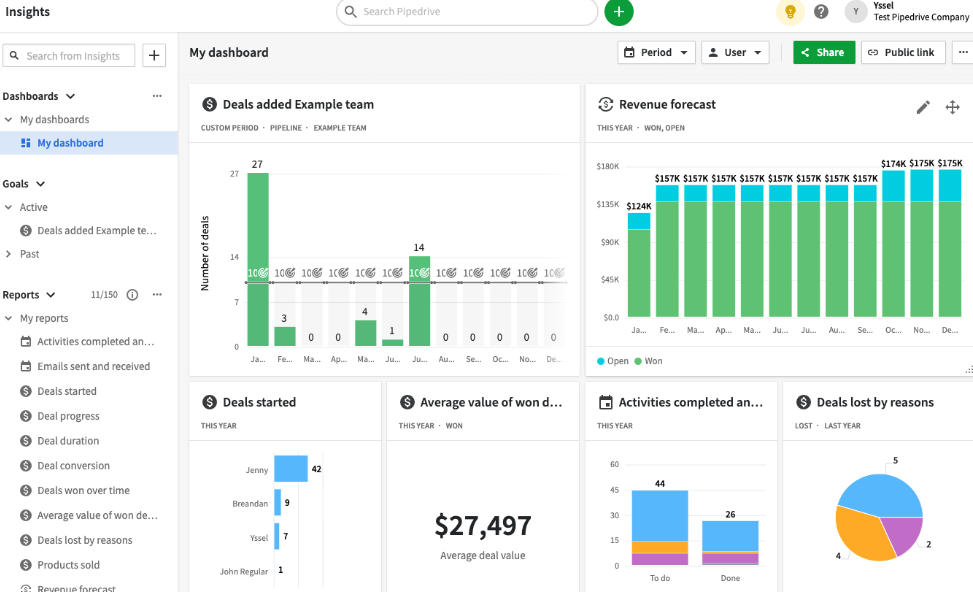
You’ll need a place to track contacts, deals, and client activity. Both HubSpot and Pipedrive are excellent CRM tools with native, no-code-friendly APIs and integrations. You can use Zapier or Make to auto-update records, change deal stages, or send follow-ups based on user activity.
HubSpot works well if you need built-in marketing automation. Pipedrive is a favorite for lean sales teams who value simplicity and speed.
Example Workflow: From Form to CRM to Notification
Let’s walk through a typical no-code automation example using tools from the stack.
A lead fills out a form on your website using Typeform. That submission instantly triggers a Zap or Make Scenario, which sends the form data to Airtable, updating your CRM table. At the same time, a Slack message alerts your sales team with the lead’s info and a direct link to the Airtable record.
You now have:
- A live CRM entry
- A timestamped internal alert
- A scalable flow you can clone or tweak anytime
- And it all runs automatically, without writing a single line of code.
Tips to Stay Organized as You Scale
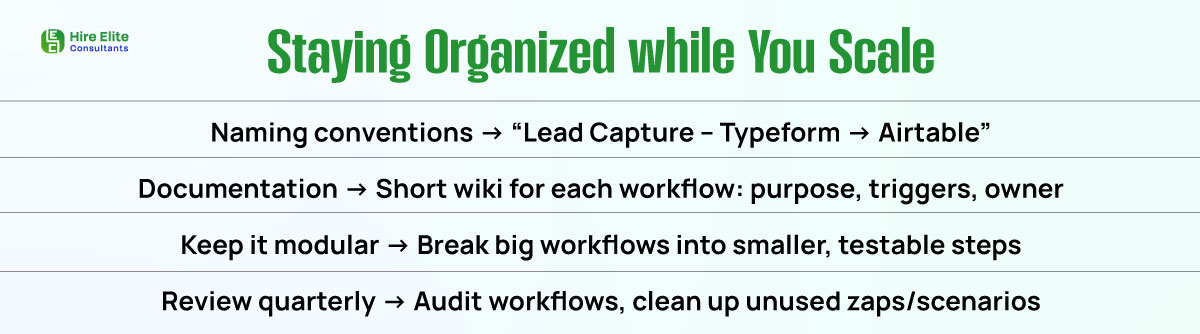
As you create more automations, staying organized is crucial. Use folders and naming conventions in Zapier or Make that reflect their purpose, such as “Lead Capture – Typeform to Airtable” or “Client Onboarding – Pipedrive Update.”
Maintain documentation for each flow. Include what it does, when it triggers, and who is responsible for it. This ensures that handoffs are smooth and troubleshooting is faster when issues arise.
Keep logic simple when possible. Break large workflows into modular steps instead of trying to build giant chains. This makes testing easier and avoids errors when changes are needed.
You Don’t Need Devs to Build Powerful Ops Systems
With the right no-code stack, anyone on your team can automate processes, manage data, and build internal tools that drive growth. Platforms like Zapier, Airtable, and Softr enable you to build a scalable backend, reduce manual tasks, and stay agile no developers required.
Start small with a single workflow. Then connect more tools, refine your logic, and expand your automation ecosystem. Once you see how quickly things move with no-code, you won’t want to go back.