
When your scheduling and CRM tools operate in isolation, your lead generation efforts become clunky and inefficient. A prospect books a meeting, but your sales representative doesn’t receive notification. Emails go unsent. CRM records don’t update. These cracks in your workflow can cost you revenue.
The good news is you can eliminate all of that with a smooth integration between Calendly, HubSpot, and your email marketing tools. When these systems are connected, they act as one cohesive engine: leads are captured, meeting data syncs instantly, and emails are sent on time, all without human intervention.
Why This Integration Matters for Lead Generation?
When Calendly, HubSpot, and your email platform are integrated, your funnel becomes frictionless. Prospects schedule meetings quickly, data flows into your CRM automatically, and follow-ups get sent without delay. You remove the risk of forgetting to log calls, update lead status, or send reminders.
Instead of juggling tools or duplicating tasks, your team works from one clean system. This improves efficiency, increases conversion rates, and saves countless hours of manual entry.

A Real-World Example Workflow
Let’s walk through a lead’s journey when your systems are integrated properly.
A prospect lands on your website and clicks a call-to-action button offering a free consultation. They select a time via Calendly, choosing a slot that works best for them. As soon as they book, Calendly pushes the event details to HubSpot. If the contact already exists in your CRM, their record is updated. If not, a new one is created.
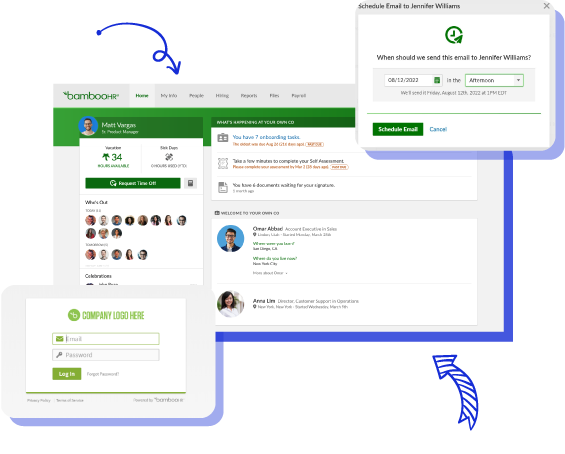
In HubSpot, the lead’s status is automatically changed to something like “Meeting Booked,” which can trigger a new sequence or notify a sales rep. At the same time, your email platform sends a confirmation message with the meeting details, a calendar invitation, and even preparatory materials. Your team doesn’t have to lift a finger.
If the meeting time passes without the lead showing up, HubSpot detects the missed meeting and triggers a rebooking campaign to encourage the prospect to schedule again.
How Calendly Syncs with HubSpot and Email?
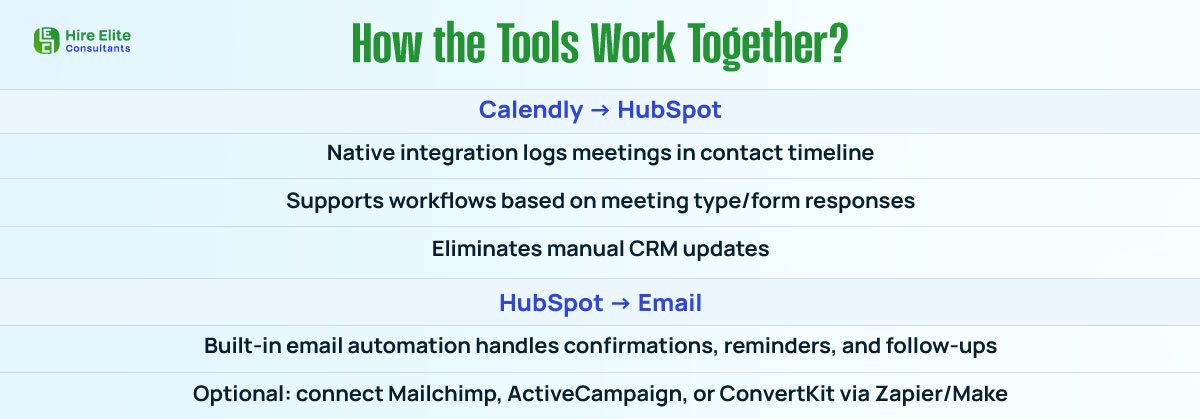
Calendly offers a native integration with HubSpot, allowing for real-time updates between the platforms. When configured, it enables you to:
- Create or update contact records in HubSpot
- Log meeting activity automatically in the contact timeline
- Trigger workflows based on meeting type or form responses
This eliminates the need for your sales team to manually enter meetings or send follow-up reminders.
On the email side, you can use HubSpot’s built-in email automation to handle confirmation emails, reminders, and follow-up messages. If you prefer tools like Mailchimp, ActiveCampaign, or ConvertKit, you can use Zapier or Make to bridge the systems and trigger actions based on meeting events.
Use Zapier for Custom Automation Logic

While the native Calendly and HubSpot integration covers most needs, Zapier can provide additional control if needed. For example, you might want to:
- Assign leads to specific reps based on territory or campaign
- Add tags to contacts based on booking source or UTM parameters
- Send internal notifications to Slack or Teams when a meeting is scheduled
- Update lead score or lifecycle stage depending on meeting type
These additional layers of automation enable you to tailor your funnel according to your internal workflow and business logic.
Benefits of a Connected Lead Generation System
One of the biggest benefits of this integration is the elimination of manual data entry. You no longer need to copy and paste names, meeting times, or email addresses between platforms. Everything is logged and synced instantly.
This also leads to higher meeting show-up rates. Automated reminders ensure leads don’t forget their scheduled calls, while confirmation emails provide value and clarity.
Additionally, your sales reps are always informed. They see the full context—when the lead booked, how they found you, what they’ve downloaded, and what their last interaction was. This helps them prepare more effectively and close deals more quickly.
And finally, you gain clean attribution and accurate CRM data, which is essential for reporting, forecasting, and scaling your pipeline.
Pro Tips for Better Integration Performance
To make the most of this setup, start by customizing your Calendly meeting types. Create different booking links for discovery calls, demos, or onboarding sessions. This allows you to tailor your follow-up sequences in HubSpot or your email tool.
Next, set up a dedicated thank-you page for individuals who book a meeting. Use that space to share a quick video, prep guide, or testimonial. This adds value and reduces no-shows.
Don’t forget to tag your contacts properly. Use form fields or hidden UTM parameters to label how leads are coming in, whether it’s from a Facebook ad, email campaign, or blog post. This enables you to route and score leads more effectively within HubSpot.
Finally, schedule regular reviews of your workflows to ensure they’re functioning correctly. As your business evolves, so will your funnel. Make sure your automation keeps up.
Simplify and Scale Your Lead Gen with Automation
Integrating Calendly, HubSpot, and your email marketing system isn’t just about saving time. It’s about creating a smoother, smarter, and more scalable lead generation engine. When you remove manual tasks, reduce delays, and automate key touchpoints, you create better experiences for your prospects and more wins for your sales team.
If you’re serious about capturing leads, booking more meetings, and closing deals faster, this integration is a must. Connect your tools, streamline your workflows, and watch your conversions grow.